



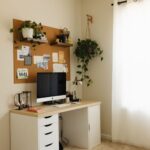


Creating a clutter-free home office space can significantly improve your focus, productivity, and overall well-being. Whether you work remotely full time or just need a quiet corner to manage bills and personal projects, an organized workspace helps reduce distractions and makes your day run smoother. This guide will walk you through easy, practical tips to arrange your home office in a way that’s both functional and inviting.
Why Organize Your Home Office?
A cluttered environment can create mental clutter, making it difficult to concentrate on tasks. When your workspace is tidy, you can find what you need quickly, feel less stressed, and create a positive routine. Plus, a well-organized office looks great and can inspire creativity.
Start With a Clean Slate
Before you begin organizing, clear out everything from your desk and shelves. This gives you a fresh perspective on what you need to keep, discard, or relocate.
Steps to Clear Clutter:
– Remove all items from your workspace.
– Wipe down surfaces to clean dust and debris.
– Sort items into categories: Keep, Donate/Sell, Recycle, Trash.
– Be honest—if something hasn’t been used in 6 months, consider letting it go.
Define Zones Based on Your Tasks
Having designated areas for different activities makes your space efficient. Here are some common zones:
– Work Zone: Your computer, keyboard, mouse, and any primary tools.
– Paper Zone: For filing important documents and incoming mail.
– Supply Zone: Pens, notebooks, and other office essentials.
– Reference Zone: Books, manuals, or items you frequently consult.
Position these zones logically. For example, keep the paper zone near where you open mail or write notes.
Use Smart Storage Solutions
Good storage keeps clutter hidden but accessible. Consider these options:
– Desk Organizers: Use trays and holders for pens, paperclips, and sticky notes.
– Shelves and Cabinets: Store books and binders vertically to save space.
– Drawer Dividers: Separate small items to avoid a jumbled drawer.
– Filing Systems: Use labeled folders or boxes for papers based on priority or category.
Tip:
Labeling storage containers can save time and maintain order over the long term.
Manage Cables and Electronics
Cables can easily become tangled eyesores. Here’s how to tame them:
– Use cable clips or ties to bundle cords neatly.
– Consider a cable box to hide power strips and excess cables.
– Keep charging stations in one spot.
– Remove any unused electronics or cords from your desk.
Optimize Desk Surface Space
Keep your desktop clear by only displaying items you use daily. Here’s how:
– Limit personal items to one or two that inspire you.
– Use vertical space with wall-mounted organizers or bulletin boards.
– Choose a desk with built-in storage if possible.
– Position your computer monitor at eye level to reduce neck strain.
Keep Digital Files Organized Too
Physical tidiness is important, but digital clutter can be just as distracting.
– Create clear folder structures for your files.
– Regularly delete or archive outdated documents.
– Use cloud storage for easy access and backup.
– Maintain an organized email inbox by unsubscribing from unwanted lists and using filters.
Establish a Daily Routine
Keeping your office organized is easier with regular maintenance:
– Spend 5-10 minutes at the end of each day tidying your desk.
– Sort papers daily instead of letting them pile up.
– Reassess your organization system monthly and adjust as needed.
Personalize Without Overcrowding
Your workspace should reflect your personality but avoid overdecorating:
– Add a small plant to bring freshness.
– Use calming colors or artwork to boost mood.
– Keep decorations minimal so your workspace stays functional.
Make It Comfortable
An organized office isn’t just about neatness; comfort matters too:
– Choose an ergonomic chair.
– Ensure good lighting, preferably natural light.
– Keep a water bottle nearby to stay hydrated.
Final Thoughts
Organizing your home office doesn’t have to be overwhelming. By following these easy tips, you can create a clutter-free, functional space that supports your work and well-being. Remember, the goal is not perfection but a workspace where you feel comfortable and focused. Start small, be consistent, and enjoy the benefits of a tidy home office!



More Stories