

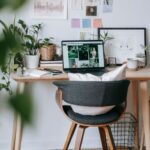

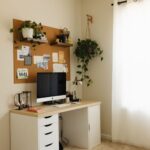

Creating a home office that is both cozy and functional can greatly improve your productivity and overall work experience. Whether you work remotely full-time or occasionally need a space to focus, your office should inspire creativity while providing comfort. In this guide, we’ll explore practical tips to help you design a home office that feels welcoming and boosts efficiency.
Choose the Right Location
When setting up your home office, location matters. Ideally, select a quiet corner or room free from distractions.
– Natural Light: Choose a spot near a window if possible. Natural light not only enhances mood but also reduces eye strain.
– Away from Noise: Avoid areas where household traffic is high, like the kitchen or living room.
– Space Considerations: Ensure there’s enough room to accommodate your desk, chair, and storage without feeling cramped.
Invest in Comfortable and Ergonomic Furniture
Comfort is key to staying focused and preventing physical discomfort.
– Ergonomic Chair: A chair with good lumbar support helps maintain posture during long work hours.
– Desk Height: Select a desk at a height where your elbows can rest comfortably at a 90-degree angle.
– Adjustable Options: Consider standing desks or adjustable chairs to alternate between sitting and standing.
Maximize Storage and Organization
A cluttered workspace can be distracting. Keeping everything organized improves focus and workflow.
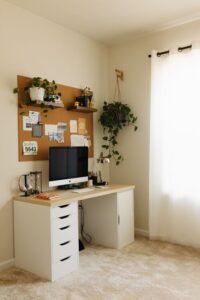
– Shelving Units: Wall-mounted shelves save floor space and keep books or décor visible but off the desk.
– Drawers and Bins: Use labeled drawers or storage bins to categorize office supplies.
– Cable Management: Use clips or sleeves to keep cords tidy and out of sight.
Personalize Your Space
Adding personal touches makes your home office inviting and uniquely yours.
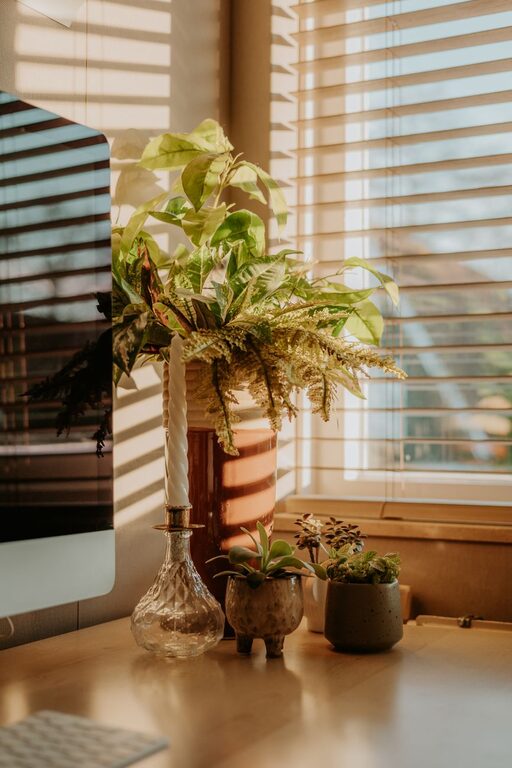
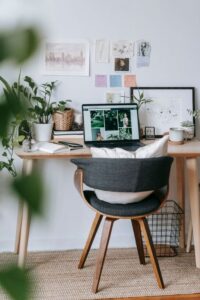
– Plants: Incorporate small indoor plants to bring freshness and improve air quality.
– Artwork: Hang inspiring prints or photos to stimulate creativity.
– Soft Textiles: Use a cozy rug or cushions to add warmth and comfort.
Optimize Lighting
Proper lighting is essential to reduce eye strain and maintain alertness.
– Task Lighting: Use adjustable desk lamps for focused work lighting.
– Ambient Lighting: Combine overhead fixtures with soft accent lights to create balance.
– Avoid Glare: Position your computer screen to minimize window glare.
Create an Efficient Layout
Arrange your office furniture to support your work habits.
– Easy Access: Keep frequently used items within arm’s reach.
– Defined Zones: If space allows, create distinct zones for different tasks, like reading or computer work.
– Clear Pathways: Ensure there is enough space to move around comfortably.
Use Color Wisely
Colors influence mood and productivity.
– Calming Tones: Soft blues, greens, or neutrals help create a relaxing environment.
– Accent Colors: Use brighter colors like yellow or orange sparingly to promote energy and creativity.
– Consistency: Match colors with your home décor for a harmonious look.
Manage Noise Levels
Noise can be a significant distraction. Here are ways to minimize it.
– Soundproofing: Add rugs, curtains, and cushions to absorb sound.
– White Noise: Use fans or white noise machines if background noise is unpredictable.
– Headphones: Noise-cancelling headphones can help maintain concentration.
Establish Workspace Boundaries
Keeping work separate from personal life improves mental focus.
– Physical Boundaries: Use room dividers or screens if your office shares space with other areas.
– Visual Signals: Use signage or lighting cues to indicate when you’re working.
– Routine Habits: Set start and end times for work to maintain work-life balance.
Keep Technology Up to Date
Efficient technology can make your workflow smoother.
– Reliable Internet: Ensure you have a strong Wi-Fi connection.
– Updated Devices: Keep your computer, printer, and software current.
– Backup Solutions: Regularly back up important files to avoid data loss.
—
By following these tips, you can create a home office that feels cozy and invites productivity. Remember, your workspace should reflect your needs and preferences, blending comfort with practicality for the best work-from-home experience.

More Stories
Tips for Creating a Cozy and Inviting Home Workspace
Tips for Creating a Cozy and Productive Home Office Space
Tips for Organizing a Productive Home Office Space